Showing posts with label Paypal. Show all posts

Wednesday, April 5, 2023

How to create PayPal account in Pakistan Step by Step Method

PayPal is a popular name when it comes to sending money around the globe. It was one of the leaders in international money transfers online with wallet-to-wallet transfers. But it is currently not available in all countries. And can be more expensive than other online options out there. 


How to create PayPal account in Pakistan Step by Step Method

PayPal does not currently offer its services in Pakistan. However, there are some ways to use PayPal in Pakistan through third-party services, but these services come with their own risks and limitations. 


How to create PayPal account in Pakistan

Here are the steps to follow if you want to create a PayPal account in Pakistan through a third-party service:


Find a Trusted Third-party Service:

Find a trusted third-party service that offers PayPal accounts to Pakistanis. Research and read reviews of different services to find the one that suits your needs and budget.

Create an Account:

Create an account with the third-party service and provide them with the required information, such as your name, address, phone number, and email address.


Verify your Account:

Verify your account by providing the necessary documents, such as your ID card, passport, or driver's license. The third-party service will use these documents to verify your identity and create a PayPal account for you.


Receive and Send Payments:

Once your PayPal account is created, you can start using it to receive and send payments. However, keep in mind that there may be restrictions on the amount of money you can receive and withdraw, as well as high fees and exchange rates.


It's important to note that using third-party services to access PayPal in Pakistan is not officially supported by PayPal, and there may be risks involved, such as account suspension, frozen funds, or even legal consequences. Therefore, it's important to research and choose a reputable service and use the service at your own risk.


PayPal alternatives in Pakistan:

There are other options available in Pakistan to send and receive money from abroad. Here are a few alternatives to PayPal for Pakistanis:

  • Wise
  • Payoneer
  • SimSim
  • EasyPay


·   0

Sunday, January 3, 2016

Verify Paypal Account in Pakistan & India

If you want to earn money on internet than you need some kind of payment processor in order to process your money and than they will send it you back in Pakistan. These payment processors are just like your local banks which will give you your account which you can operate via your username and password. Account will be available to your free of cost and you don’t have to visit any branch in order to get it. Just provide some necessary documents and you are done.

How to Get Free Master card

Good news is that now you can get free MasterCard from USA bank (Payoneer bank) free of cost. On top of that the card will be shipped to your home address free of cost as well.
Also when you will verify your PayPal account with the help of Payoneer card you will get $25 bonus. This is really amazing promotion and every body should take benefit from it.

What is Paypal?

There are lots of payment processors on internet like Payza, Liberty-Reserve, Skrill etc but PayPal is the king of all of them. Sadly they support more than 190 countries of world but not Pakistan and its the biggest drawback we have on internet. So in order to get PayPal account in Pakistan we have to use other tactics.

Get verified PayPal account in Pakistan & India

Please follow these 2 simple steps before beginning the process:
  • Clear your browser’s cache and cookies.
  • Don’t use a proxy.
Now follow these steps.
1- Go to Payoneer-affiliates website and click on Sign-Up Now.
2- Follow the procedure and complete the sign-up process for the Payoneer card (Card is free and will be shipped at your home address for free within 7 to 10 days).
payoneer_master_card
3- Your account will be approved within a day. I was approved in 20 minutes.
4- After your card is approved, you will receive an email asking if you want to apply for US Payment Service.
5- The email will require you to reply with some verification and answer some easy questions.
6- After you reply to the email, Payoneer will review the information and you will be approved for the USP Service within 2-3 days. Almost everyone gets accepted for US Payment Service. If you don’t receive a reply within 3 days, contact Payoneer’s customer support and they will look into
it.
7- After you are approved for US Payment Service, you will receive an email from Payoneer containing information about a Virtual Account Account, including Routing Number and Account number.
approved-email-from-payoneer
8- Now, go to USA Paypal.com/US and create and account. Use your real name which you submit in Payoneer form as well(names should be same). Make sure you select United States as the country and fill in real US phone number and address in the PayPal sign-up process. You can get US address and phone numbers via Fake Name Generator website.
9- After the sign-up, you will get an option to verify your account either through bank account or Credit Card. Select the bank account option.
10- Enter the bank account details you received from Payoneer into the PayPal verification form.
11- Then it will take 1-2 business days for them to send two amounts to your Payoneer account.
12- After you receive the amounts, you can go to https://myaccount.payoneer.com/ and login to your account.
13- You will see two transactions from Verification Department there.
payoneer-payment-proof
14- Enter these two amounts in the verification form.
15- Congratulations! You have a verified PayPal account.
Now that you have a verified account, it is highly unlikely that PayPal will limit your account. Just follow these simple steps to make sure it doesn’t ever get limited.
1- After verifying your account, don’t login to the account for 3-4 days.
2- Clear your cache and cookies before logging into your account and after you have logged out.
3- Don’t accept money from unverified or objectionable sources.
4- Never use a proxy to login.

paypal

BT-Blog-bth_animated-arrow

Get Free USA Virtual Mobile Number

You can easily withdraw your money from PayPal to your Payoneer Bank Account and access the funds using your Payoneer Debit Card in ATM’s that accept MasterCard.
·   2

Saturday, January 2, 2016

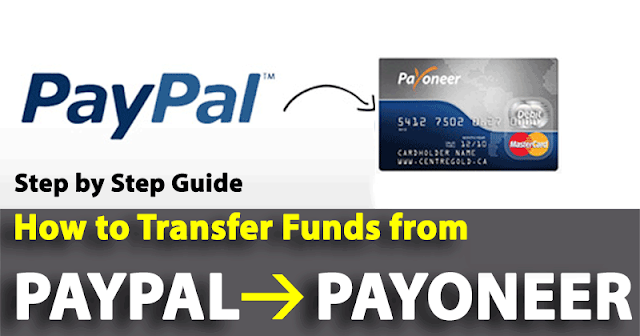
How to Transfer Funds from PayPal to Payoneer

pp payoneer


Hi every one, In last couple of months, I have written a lot of tutorials on PayPal and Payoneer. But then I stopped posting about these because I think the needed information was already enough and well explained. But still I am getting huge emails and inboxes asking me How to Transfer Funds from PayPal to Payoneer MasterCard.  So I felt the need to write another tutorial explaining How to Withdraw Funds from PayPal to Payoneer.

Although this procedure is quite simple but can be tricky for some newbie users. I have seen there are many new Payoneer master card holders who are facing difficulty in transferring their money from PayPal to Payoneer.

I am writing this post to help newbie users who want to transfer money from PayPal to Payoneer. I will try my best to elaborate each step of the transfer process, and after reading this post, you will be 100% sure on how to withdraw money from PayPal to Payoneer Master Card.

Get a Free Payoneer MasterCard Loaded with $25

I am assuming that you have already signed up for the Payoneer MasterCard. After you have received your Payoneer MasterCard, a Virtual Bank account is created by Payoneer in Bank of America and you are provided with its details when you activate the US payment service on your Payoneer Account. I have already written a descriptive guide on quick USA payment service questionnaire approval and how to fill it. After USA payment service activation, you are provided with Routing Number and Account Number, which you can use in PayPal to withdraw funds from PayPal to Payoneer.

You can find your USA payment service details in the “Receive Money > US Payment Service” in your Payoneer Account Dashboard right after you Sign into it.  You need to follow these steps to withdraw money from PayPal to Payoneer.

Steps to Transfer Funds from PayPal to Payoneer:

1- Link your US Payment Service Bank Account to PayPal:

This is the very first step you need to withdraw your PayPal funds to Payoneer Master Card. If you have already linked your USA payment service bank account, you can ignore it. Otherwise go to your Payoneer account. After signing in, you will find your USA payment service details in the “Receive Money > US Payment Service” tab. You will find here your Bank Routing Number, Bank Account Number and Account Type.

2- Adding USA Payment Service Bank Account to PayPal:

After you find the Bank Routing Number, Bank Account Number and Account Type. Open your PayPal account. In your PayPal account, go to “Profile > Update Bank Account” and add a new bank account here. You will see an option asking to verify in (2-3) days. Here provide your Bank Routing Number, Bank Account Number and Account Type which is by default “Checking” which is provided by Payoneer.

Read: Get Paypal Verified Using Payoneer US Payment Service In Unsupported Countries

 3- Verify your USA Payment Service Details:

After adding these three details (Bank Routing Number, Bank Account Number, Account Type), PayPal will send you two test amounts to your Payoneer account. All you need is to check your PayPal account in 2-3 days, you will see two amounts appearing in your transactions in the Payoneer. Note these two amounts, open your PayPal account, and enter these two amounts as it is in your PayPal account. By doing so, you have verified your USA payment service account with PayPal.

Read: Verify Payoneer US PAYMENT SERVICE using Paypal

 4- Withdraw money from PayPal to Payoneer:

Here is the last step. After you have verified your US payment service bank account with PayPal. You can now withdraw funds from PayPal to Payoneer. The money that you will withdraw to your Payoneer from PayPal, will be deposited to your Payoneer in 3-4 working days. To withdraw the money simply, go to Withdraw option in your PayPal account and select the USA payment service bank account (provided by Payoneer).

http://www.builtwith.com/wtsacademy.com http://validator.w3.org/check?uri=wtsacademy.com http://whois.tools4noobs.com/info/wtsacademy.com http://www.alexa.com/siteinfo/wtsacademy.com http://www.alexa.com/data/details/?url=wtsacademy.com http://www.aboutdomain.org/backlinks/wtsacademy.com/ http://www.robtex.com/dns/wtsacademy.com.html http://www.quantcast.com/wtsacademy.com http://uptime.netcraft.com/up/graph?site=wtsacademy.com http://www.pageheat.com/heat/wtsacademy.com http://www.aboutthedomain.com/wtsacademy.com http://websiteshadow.com/wtsacademy.com http://www.surcentro.com/en/info/wtsacademy.com http://www.onlinewebcheck.com/check.php?url=wtsacademy.com http://websitevaluecalculator.org/wtsacademy.com http://statswebsites.com/wtsacademy.com http://whoisx.co.uk/wtsacademy.com http://www.websiteaccountant.nl/wtsacademy.com http://www.talkreviews.ro/wtsacademy.com http://www.listenarabic.com/search?q=wtsacademy.com&sa=Search http://www.keywordspy.com/research/search.aspx?q=wtsacademy.com&tab=domain-overview http://boardreader.com/linkinfo/wtsacademy.com http://builtwith.com/wtsacademy.com http://www.websiteaccountant.be/wtsacademy.com http://www.altavista.com/yhs/search?fr=altavista&itag=ody&kgs=0&kls=0&q=site:wtsacademy.com http://www.consultanta-seo.ro/results/wtsacademy.com http://siteanalytics.compete.com/wtsacademy.com/ http://wholinkstome.com/url/wtsacademy.com http://www.serpanalytics.com/#competitor/wtsacademy.com/summary//1 http://www.pagerankplace.com/website/wtsacademy.com http://hosts-file.net/default.asp?s=wtsacademy.com http://www.protect-x.com/info/wtsacademy.com

Read: How to Withdraw PayPal Funds in Unsupported Countries

Note: If your PayPal and Payoneer Account linking fails, you need to check these two things first. Very first thing, you have provided USA (United States) country while creating your PayPal account (since the Virtual account provided by Payoneer is also from Bank of America). Second, make sure the name on your PayPal and Payoneer account is same or not. Thats it.

So it was a step by guide for you to Transfer Funds from PayPal to Payoneer. Have any questions to ask, feel free to ask here in the comments.
·   13